How to Use Plate Journal
Discover how Plate Journal can help you track your food journey, understand your nutrition, and reach your goals using advanced AI.
1. Personalize Your Profile
Start by visiting your User Profile to set your personal information and specific dietary goals. Plate Journal's AI takes your unique goals—whether it's weight loss, building muscle, or just eating healthier—and integrates them directly into the food analysis. This means every insight and recommendation is custom-tailored to what you want to achieve.
2. AI-Powered Food Recognition
Logging meals is as easy as snapping a photo or writing a quick description. Our advanced AI instantly analyzes your food, identifies the ingredients, and automatically estimates the nutritional value. It removes the hassle of manually searching for every single ingredient in a database.
Best Practices for AI Accuracy
Plate Journal relies on AI, so providing a clear photo or a detailed description yields the best results.
- When taking photos: Include the entire plate. Adding a reference object (like a spoon or fork) gives the AI a better idea of scale to determine portion sizes accurately. Keep in mind that hidden ingredients might not be considered in the photo.
- When writing descriptions: For smoothies or complex customized meals, text descriptions work best. Provide as much detail as possible—including brands of ingredients or cooking methods. This context helps the AI pinpoint precise nutritional values.
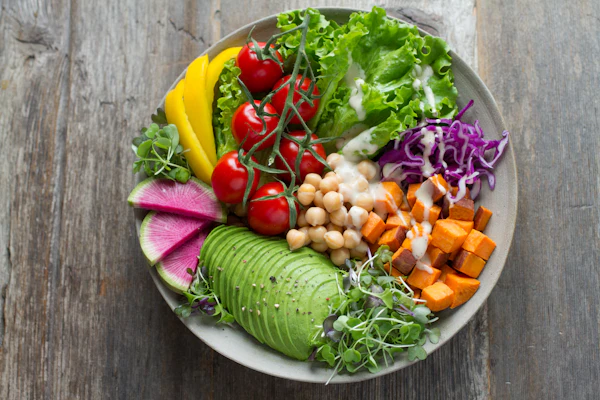
Include the whole plate and utensils for scale.
3. Track Macros & AI Expert Insights
Dive into your nutrition with clear, beautiful daily and weekly summaries. Plate Journal tracks your protein, fat, sugar, salt, fiber, and more. Need a deeper understanding? The AI Expert feature is available to analyze your trends, explain your macro breakdowns, and offer personalized advice to keep you on track.
To access AI Expert, tap on your profile picture, select "AI Expert" and then select which dates you want to analyze.
4. Mindful Journaling
Nutrition isn't just about numbers; it's about how you feel. Use the journaling feature to write about your experience with specific foods or your overall daily wellbeing. The AI considers your journal entries when providing insights, helping you discover which foods give you energy and which ones might be slowing you down.
Ways to Journal
You can journal in 2 ways:
- After logging a meal: you can tap on its title and write down your thoughts and how you feel after eating this food.
- From your profile: you can also tap on your user profile icon at the top right corner of the screen and select "Journal". Here you can see a complete view of all notes. You can also journal here by typing or tapping on the microphone icon to record your voice (voice to text).
5. Menu Scout
Eating out? Menu Scout is your personal dining assistant. Simply use your camera to scan any restaurant menu, and the AI will analyze the options and recommend the best dishes based on your personal preferences and dietary goals. It takes the guesswork out of ordering healthy meals at restaurants.
You have the option to select maximum calorie, and if you want to have more protein or fiber, or less sugar in the food you order.
6. The Pantry
For your go-to meals and favorite recipes, use The Pantry. Save your most frequently eaten foods or custom recipes here. When you're ready to eat, you can quickly log them to your daily intake with a single click, saving you time and keeping your tracking consistent.
Internet Connection Required
Plate Journal needs internet access to be able to upload photos and notes and being able to analyze. Check Internet connection if you got into issues with uploading or analyzing failures.
Important Caveats
The model cannot weigh food or see hidden ingredients like oil, butter, sugar in sauces, or exact recipes. Restaurant portions and cooking methods can also swing the real numbers by a lot.
Treat the results as rough estimates for tracking trends, not precise measurements. Use the confirmation screen to adjust calories and macros if you know the real values.